
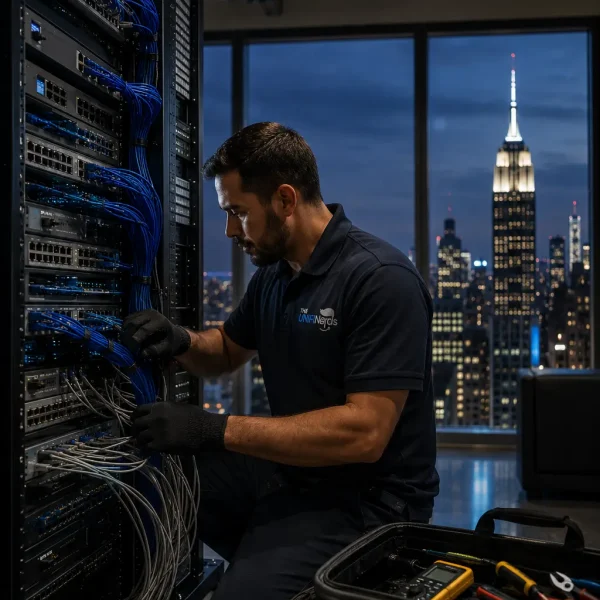
Wi-Fi gets blamed for almost every connection problem. A video call drops, a security camera buffers, or an office corner feels slow, and attention immediately goes to the router or access point.
In many New York properties, though, the weak point sits somewhere people cannot see. Old cable runs, poor termination, crowded pathways, and years of quick fixes can quietly limit what the network is able to do. This is especially common in buildings where technology has been added in stages rather than planned as one system.
Old Buildings Create New Problems
New York has an unusual mix of offices, apartments, retail spaces, warehouses, and older commercial buildings. Some properties were never designed with modern networking in mind.
That can make cable routes awkward. Walls may be difficult to open, equipment rooms may be small, and older wiring may already share space with newer systems. A connection may technically work while still falling short under heavier use.
Good Network Cabling Services in New York City should therefore begin with more than simply pulling cable from one room to another. The route, cable type, termination points, and future access all matter.
A neat cable run today can prevent a lot of guessing a year later.
Not Everything Belongs on Wi-Fi
It is tempting to make every device wireless. It feels cleaner, and there is less visible cabling.
But fixed equipment often benefits from a wired connection. Desktop computers, access points, cameras, printers and network switches do not need to compete with phones and laptops for wireless capacity if Ethernet is available.
The wired network acts as the backbone. When that foundation is stable, wireless devices can use Wi-Fi for what it does best: mobility.
This becomes more noticeable in busy offices where dozens of people may be streaming, joining meetings, syncing files, or using cloud applications at the same time.
Cable Labels Are More Useful Than They Look
Labels are easy to ignore during installation.
When everything is new, the technician may know exactly where every cable goes. Six months later, after equipment has moved or a new person is responsible for the network, an unlabeled bundle can become a frustrating puzzle.
Clear labeling saves time. It helps technicians trace a wall outlet back to the correct switch port and makes future repairs less disruptive.
The same applies to patch panels and network racks. Good organization does not improve internet speed directly, but it can make maintenance far easier when something needs attention.
Wi-Fi Still Needs a Plan
Strong cabling does not remove the need for careful wireless planning.
Access points should be placed around the way the property is actually used. A crowded conference room needs different coverage from a storage area. A restaurant may need service across the dining floor, while an office could have several smaller rooms separated by thick walls.
A properly planned unifi nyc setup can bring the wired and wireless sides together instead of treating them as separate projects.
That matters because an access point can only perform as well as the connection feeding it.
Quick Fixes Add Up
Networks often become messy because each change seems small.
One temporary cable is added for a new desk. Another switch appears when the first one runs out of ports. A camera gets connected wherever there is space. None of these decisions seem serious on their own.
After a few years, however, nobody has a clear picture of the full setup.
Taking time to document devices, cable routes, network segments, and switch connections can stop that cycle. It also makes future upgrades easier because there is a reliable starting point.
Leave Space for the Next Change
New York businesses change quickly. Teams move floors, offices are redesigned, and tenants may use spaces in completely different ways.
A network should be able to adjust without requiring a complete rebuild.
Spare switch ports, accessible cable pathways, and a little room in the rack can make later additions much simpler. Planning this capacity early is usually easier than trying to create it after every available connection has already been used.
Conclusion
Reliable networking is not only about the equipment people can see. Much of its performance depends on the quieter work behind the walls: sensible cable routes, clean terminations, organized racks, and access points connected to a dependable backbone.
When those basics are handled properly, future changes become less stressful. The network is easier to understand, easier to troubleshoot, and better prepared for the next device, desk, or room that needs to come online. A team like UniFiNerds.com can help businesses get those fundamentals right before the first cable is run.
Using a multi-timeframe setup like M5, M15, M30, and H1 makes sense for buyers who want confirmation before committing risk. I like the idea of treating H1 as the directional filter, then using M30 to validate that bias, followed by M15 to spot a clean setup, and finally M5 for
non repaint indicator MT4
Great brand discovery post—Brush Motor Works Auto Shop stands out as a reliable car shop for East Mesa drivers who want honest guidance and dependable results. I appreciate that they handle everything from routine maintenance and tire service to advanced repairs, plus car audio, without the runaround. The BMW expertise